

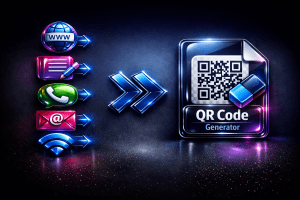
Need a fast, Free QR Code Generator? Create custom QR codes for URLs, WiFi, vCards, and more. 100% secure, no signup required. Generate and download now!
Price Currency: USD
Operating System: Web Browser
Application Category: UtilitiesApplication
FREE QR CODE GENERATOR
Instant, private, browser-based — no uploads, no account, no watermarks.
Developed by ButcherBoyBD
Free QR Code Generator — Instant, Private & Browser-Based
The AIToolboxBD Free QR Code Generator creates scannable QR codes for 7 data types entirely inside your browser. Use this Free QR Code Generator for website links, WiFi passwords, phone numbers, digital business cards, plain text, email addresses, or pre-written SMS messages — all in under 5 seconds with no uploads, no account, and no watermarks. Your data never leaves your device.

Generate crisp, high-resolution PNG codes instantly — no server required.
▦ All 7 Types This Free QR Code Generator Supports
Most online tools only handle URLs. This Free QR Code Generator supports 7 distinct data types, each with its own dedicated input form and encoding format. Here is exactly what each type does and when to use it:
1. URL — Website & Link Code
Encodes any web address so a scan opens it directly in the phone’s browser. Works for websites, YouTube videos, Google Maps locations, Instagram profiles, Linktree pages, app store listings, and Google Forms. Always include the full https:// protocol for reliable cross-device scanning. URL is the most-used type in any Free QR Code Generator.
2. Text — Plain Message Code
Encodes any freeform string as readable plain text. When scanned, the phone displays the message without opening any app or browser — works fully offline. Ideal for product serial numbers, event instructions, one-time coupon codes, or any content that should appear as plain text on screen.
3. Email — Pre-Filled Email Code
Encodes a mailto: URI that pre-fills recipient address, subject, and message body in the user’s mail app. When scanned, the compose window opens ready to send — zero typing required. Perfect for feedback kiosks, support shortcuts on printed menus, or conference badge check-ins.
4. Phone — Click-to-Call Code
Encodes a tel: URI so scanning opens the dialer with the number pre-entered — one tap calls. Standard on restaurant tables, service counters, hotel room cards, and business cards. Use international format (+8801XXXXXXXXX) for compatibility in all countries.
5. SMS — Pre-Written Text Message Code
Encodes an smsto: URI with a recipient number and an optional pre-written message body. When scanned, the native SMS app opens with both fields ready. Widely used for marketing opt-ins, delivery confirmation flows, and appointment reminder shortcuts on printed collateral.
6. WiFi — Network Credentials Code
Encodes your SSID, password, and security type into the standard WIFI: URI. Android 10+ and iOS 11+ join the network automatically on scan — no typing needed. The most-requested type for hotels, cafes, and co-working spaces. Because this Free QR Code Generator runs entirely in your browser, your WiFi password is never transmitted to any server.
7. vCard — Digital Business Card Code
Encodes a full vCard 3.0 contact record (RFC 2426) with name, phone, email, organization, and website. Scanning prompts the device to save the contact directly — the modern replacement for paper business cards. Compatible with Apple Contacts, Google Contacts, and Samsung Contacts.
▦ Customization Options in This Free QR Code Generator
QR Color & Background
Set any hex color for the dark modules and any color for the background. Always keep high contrast — dark pattern on a light background scans most reliably. Avoid low-contrast pairs like dark grey on black or yellow on white.
Output Size (128 px – 512 px)
For digital use (websites, email signatures), 256–300 px is sufficient. For print (flyers, banners), generate at 512 px. Minimum reliable print size is 2 cm × 2 cm — any smaller and smartphone cameras may struggle to resolve individual modules.
Error Correction Level
This Free QR Code Generator offers four ISO/IEC 18004 error correction levels:
| Level | Recovery | Best Used For |
|---|---|---|
| L — Low | 7% | Clean digital screens, pristine prints |
| M — Medium | 15% | General use — recommended default |
| Q — Quartile | 25% | Outdoor signage, packaging, stickers |
| H — High | 30% | Industrial labels, logo overlays, brand watermarks, worn surfaces |
Brand Watermark — Center Badge, Corner Stamp, Fade Overlay
This Free QR Code Generator includes a built-in Brand Watermark feature that blends your name or brand into the QR code visually while keeping it fully scannable. Three styles are available:
- Center Badge — Your brand name is placed in a pill-shaped label at the exact center of the QR pattern, using the error-correction quiet zone. Clean and widely used on business cards and product labels.
- Corner Stamp — A compact branded stamp sits in the bottom-right corner — ideal for social media posts, flyers, and packaging where center space is critical for scanning.
- Fade Overlay — Your brand name is rendered diagonally across the full QR at a soft opacity, creating a watermark effect similar to branded stationery. The QR modules remain dominant and scannable.
⛶ How to Use This Free QR Code Generator — Step by Step
- Select a type — Click one of the 7 tabs (URL, Text, Email, Phone, SMS, WiFi, vCard).
- Fill in the fields — Enter your data. Required fields are marked; optional fields add extra detail.
- Customize — Pick QR color, background color, and output size.
- Set error correction — Medium (M) is the safe default; High (H) is set automatically when using Brand Watermark.
- Add a Brand Watermark (optional) — Choose Center Badge, Corner Stamp, or Fade Overlay, then enter your brand name. Error Correction is forced to H automatically to protect scannability.
- Click Generate — This Free QR Code Generator produces your branded code instantly in the result panel.
- Download PNG — Save the file, ready to print or embed anywhere.
🔒 Privacy — Why This Free QR Code Generator Is Safe to Use
This Free QR Code Generator runs entirely inside your browser. WiFi passwords, phone numbers, and vCard details are processed by local JavaScript — never sent to any server. The image is rendered on a browser canvas and downloaded directly from memory. The server delivers only the page code; it never receives any of your input. This makes the Free QR Code Generator safe on air-gapped devices and offline after initial page load.
✓ Device Compatibility
All codes from this Free QR Code Generator follow the ISO/IEC 18004 standard and scan on:
- iPhone (iOS 11+): Built-in Camera app — point, hold, tap the banner
- Android (8.0+): Google Lens or native Camera on Samsung, Xiaomi, Realme, Oppo
- Android (older): Any third-party scanner app such as ZXing Barcode Scanner
- Desktop: Chrome address bar, Windows Camera app, or any QR reader extension
- WeChat, WhatsApp, LINE: Built-in QR scanning in their camera or search features
WiFi auto-join requires Android 10+ or iOS 11+. On older devices, credentials display as text for manual entry.
▶ This Free QR Code Generator vs. The Competition
vs. Cloud-Based Generators (QR Code Monkey, QRCode.com)
Cloud-based services send your data to a remote server — your WiFi password and private URLs transit the internet and may be logged. This Free QR Code Generator processes everything locally: the server never sees your input. No daily caps, no upsell prompts, no account needed.
vs. Dynamic QR Services (Beaconstac, Bitly QR)
Dynamic services redirect through a tracking URL and charge monthly fees — codes stop working if you cancel. This Free QR Code Generator creates static codes that encode data directly: no middleman, no subscription, no expiry, no user tracking.
vs. Canva / Adobe Express
Design tools include basic generators limited to URLs and requiring an account. This Free QR Code Generator supports 7 types plus built-in brand watermarking, needs no account, and exports a clean PNG that imports into any design software at any size.
📌 Common Use Cases
Restaurants & Cafes
WiFi codes at tables eliminate writing passwords on chalkboards. URL codes on menus link to digital ordering. Phone codes on receipts enable instant reservation calls. Use this Free QR Code Generator to create all of them in seconds.
Events & Conferences
vCard codes on name badges allow instant contact exchange. URL codes on presentation slides link to resources or survey forms. SMS codes on banners drive post-event opt-ins — all generated with this Free QR Code Generator in one tool.
Small Business & Marketing
URL codes on flyers drive traffic to landing pages. Email codes on invoices simplify support contact. Add a Corner Stamp watermark to brand every code with your business name. This Free QR Code Generator handles every format a small business needs without monthly fees or subscriptions.
Education & Classrooms
Text codes carry offline lesson content students scan during activities. URL codes link to video lessons or assignments. WiFi codes simplify device onboarding at the start of term.
ℹ Technical Reference
| Property | Value |
|---|---|
| QR Standard | ISO/IEC 18004 (QR Code 2005) |
| Encoding library | qrcodejs v1.0.0 (client-side JavaScript) |
| Output format | PNG (canvas export) |
| Output size range | 128×128 px to 512×512 px |
| Error correction | L (7%), M (15%), Q (25%), H (30%) |
| Brand Watermark styles | Center Badge, Corner Stamp, Fade Overlay |
| Watermark ECC protection | Auto-forces H (30%) when any watermark is active |
| Server processing | None — 100% browser-side |
| Data uploaded | None |
| Supported types | URL, Text, Email, Phone, SMS, WiFi, vCard 3.0 |
| vCard version | vCard 3.0 (RFC 2426) |
| WiFi encoding | WIFI: URI scheme (Android/iOS native join) |
Frequently Asked Questions
Does this Free QR Code Generator create codes that expire?
No. This Free QR Code Generator creates static codes — your data is encoded directly into the pixel pattern of the image itself. There is no redirect URL, no tracking server, and no subscription keeping it alive. The code works forever as long as the image file exists. Print it today, scan it 10 years from now.
Can I use the output commercially?
Yes, completely. Every PNG from this Free QR Code Generator is watermark-free and available for personal and commercial use with no licensing fee, attribution requirement, or usage limit.
Why isn’t my printed code scanning?
Three common causes: (1) low contrast — regenerate with darker foreground and lighter background; (2) too small — ensure at least 2 cm × 2 cm in print; (3) damage — regenerate with Error Correction Q or H. Also confirm the quiet-zone border is fully visible and unobstructed.
My WiFi code shows the password but doesn’t auto-join — why?
Auto-join requires Android 10+ or iOS 11+ with the native Camera app. On older devices, credentials display as text for manual entry. On iOS, only the built-in Camera app can trigger the WiFi join dialog.
How much text can I encode?
At level H, up to 1,817 alphanumeric characters. At level L, up to 4,296. For best scan speed, keep URLs under 150 characters — longer data creates denser patterns that are harder to read on low-quality cameras.
Can I embed my brand name or logo inside the QR code?
Yes — this Free QR Code Generator has a built-in Brand Watermark feature. Choose from three styles: Center Badge (your name in a pill at the center), Corner Stamp (compact label at the bottom-right), or Fade Overlay (diagonal watermark across the full code). All three are scannable by design — the tool automatically forces Error Correction to H (30% redundancy) whenever a watermark is active, guaranteeing the code works every time. No external editor or Canva required.
Is the vCard code compatible with iPhones?
Yes. vCard 3.0 (RFC 2426) is fully supported by Apple Contacts on iOS 5 and above. Scanning triggers an “Add to Contacts” prompt with all fields pre-filled. Android Contacts and Samsung Contacts also support vCard 3.0.
Where can I find more free tools?
Visit AIToolboxBD to browse our full collection of free browser-based utilities. Check out our Free Generator Tools, or explore our Image & Design Tools for image converters and background removers. Every tool shares the exact same privacy-first, zero-upload approach as this Free QR Code Generator.