

Password Generator Pro
Professional-grade cryptography. Your passwords never leave your device.
Passphrases are easier to remember and type, while providing massive entropy. A 4-word passphrase beats most 10-character passwords.
1. Free Password Generator Online — Cryptographic Privacy, Zero Upload
Password Generator Pro is a free password generator online that generates cryptographic passwords and memorable passphrases without sending your data to any server. Every character is generated using window.crypto.getRandomValues() — your device’s hardware-backed random number generator — so your passwords are produced entirely inside your browser with client-side processing, no server involved, no data transmitted, no logging possible.
Weak passwords remain the leading cause of account breaches worldwide. Password Generator Pro gives you no-paywall access to the same cryptographic quality used in enterprise security tools — free, with no account required, and with no file size limit or artificial restriction. This free password generator online has your first password ready in milliseconds. 100% private by architecture, not by policy: it is technically impossible for AIToolboxBD to see what you generate.
Unlike tools that only offer basic random strings, this free password generator online supports both Random Password mode (fully customisable character sets, 6–128 characters) and Memorable Passphrase mode (Diceware-style word selection, 3–10 words) — giving you the right format for every use case, from database credentials to master password manager keys.
2. What Password Types and Options Are Supported?
This free password generator online supports two distinct generation modes, each designed for a different use case. Whether you need a random string for a database credential or a memorable phrase for a master vault key, this free password generator online has you covered with full control over every parameter.
- Random Password Mode — Generates a string of truly random characters using your device’s cryptographic API. You control length (6 to 128 characters) and exactly which character sets to include.
- Uppercase Letters (A–Z) — Toggle to include capital letters. Greatly expands the character pool and is required by most security policies.
- Lowercase Letters (a–z) — 26-character pool; included by default. Always recommended to be combined with other sets.
- Numbers (0–9) — Adds 10 digits to your pool. Mandatory for most platform password requirements.
- Symbols (!@#$%^&*…) — Adds 32 special characters. Maximises entropy per character — the single most effective way to strengthen a fixed-length password.
- Exclude Ambiguous Characters (l, 1, O, 0) — Removes visually similar characters that cause typos when reading passwords aloud or copying from a printed sheet.
- Memorable Passphrase Mode — Uses a curated word list to create Diceware-style passphrases such as
purple-sunset-rocket-glass. A 4-word passphrase typically exceeds 50 bits of entropy — more than most 10-character random passwords. - Word Count (3–10 words) — Control how many words appear in a passphrase. Longer passphrases are better for master password manager keys.
- Word Separator Options — Choose from hyphen, space, period, underscore, comma, or no separator to match the platform’s requirements.
- Capitalize First Letters — Capitalises the first character of each word, which some platforms require as part of their password policy.
- Include a Number — Appends a single random digit to one word in the passphrase, satisfying numeric character requirements without breaking memorability.
- Real-Time Entropy Meter — Calculates the exact bits of entropy for every generated password using the mathematical formula log₂(pool_size^length), and displays a live strength rating from Very Weak to Very Strong.
- Session-Local History — Stores the last several passwords you generated in browser memory only, wiped when you close the tab. No server, no persistence.
3. How to Use This Free Password Generator Online — Step by Step
- Choose your mode. Click “Random Password” for a character-based password or “Memorable Passphrase” for a word-based passphrase. The interface updates instantly to show the correct controls for your chosen mode.
- Set your length. Drag the slider to choose password length (6–128 characters) or word count (3–10 words). The value updates in real time above the slider. For most accounts, 16+ characters or 4+ words is recommended.
- Configure character sets or passphrase options. In Password mode, toggle Uppercase, Lowercase, Numbers, and Symbols on or off. Enable “Exclude Ambiguous” if you plan to read the password aloud. In Passphrase mode, pick your separator and toggle Capitalize and Include a Number as needed.
- Review the strength meter. The entropy bar shows the strength of your current configuration. Watch the bits-of-entropy count — aim for at least 60 bits for standard accounts and 80+ bits for critical accounts such as email and banking.
- Click “Copy Password” to copy it to your clipboard instantly. The button confirms with a green “Copied!” state. Use the rotate icon to generate a fresh password without copying.
- Store it in a password manager. Paste the password into Bitwarden, 1Password, Proton Pass, or your manager of choice before closing the tab. Password Generator Pro does not save passwords permanently — that is your password manager’s job. Want a 100% offline vault with no cloud and no subscription? Try Omega Password Master — AIToolboxBD’s free portable AES-256-GCM encrypted password manager for Windows that stores your entire vault locally and runs from any USB drive, forever free.
4. How Password Generator Pro Works
- WebCrypto API (
window.crypto.getRandomValues()) — Password Generator Pro does not use JavaScript’sMath.random(), which is a pseudorandom function designed for simulations and games, not security. Instead it calls the WebCrypto API, which reads from your operating system’s hardware entropy pool (Intel RDRAND, ARM TrustZone, or equivalent). This is the same source used by operating system-level key generators. - Client-Side Processing Only — All generation logic runs inside a single JavaScript closure in your browser. There are no network requests, no WebSockets, no analytics calls during generation. You can verify this by opening browser DevTools → Network tab and watching: zero outbound requests when you generate a password.
- Bias-Free Modular Sampling — To avoid modulo bias (a common flaw in naive implementations), the tool samples from a Uint32Array and applies modular arithmetic relative to the character pool size, ensuring every character has exactly equal probability of appearing.
- Entropy Calculation — The strength meter uses the formula
bits = length × log₂(pool_size)to compute the true information-theoretic entropy of your password, not a heuristic score. This is the same metric used in NIST SP 800-63B guidance. - Zero Persistence — Session history is stored as a JavaScript array in memory only. It is never written to
localStorage,sessionStorage, cookies, or any other persisted store. Closing the tab erases all history completely. - Offline Capable — Because generation relies on browser-native APIs, you can load the page, disconnect from the internet, and continue generating passwords indefinitely. No CDN calls are made during generation.
5. Password Generator Pro vs. The Competition
vs. LastPass Password Generator
LastPass’s built-in generator runs client-side, similar to this free password generator online. However, it requires a LastPass account to access advanced options, and the browser extension collects usage telemetry. This free password generator online requires no account, installs nothing, and collects zero telemetry — not even anonymous analytics. It also adds Passphrase mode and a live entropy meter that LastPass’s generator lacks.
vs. Bitwarden Password Generator
Bitwarden’s generator is excellent for users already inside the Bitwarden ecosystem. This free password generator online serves users who do not want to be locked into any particular manager, need a quick standalone generator without logging in, or want to generate passwords on a shared device without any account trace. Password Generator Pro also provides a standalone passphrase mode accessible to anyone without onboarding.
vs. 1Password’s Strong Password Generator
1Password’s online generator is browser-based but embedded within 1Password’s marketing pages and nudges users toward a subscription. This free password generator online has no paywall, no upsell, and no CTAs to sign up for anything — it is a pure utility with no commercial angle attached to generation. As a completely standalone free password generator online, it serves anyone who wants to generate a secure password in seconds without onboarding.
| Feature | Password Generator Pro | LastPass Generator | Math.random() tools | 1Password Generator |
|---|---|---|---|---|
| Cryptographic RNG | Yes — WebCrypto API | Yes | No — predictable | Yes |
| Passphrase Mode | Yes | No | No | Yes |
| Account Required | No | Yes (for full features) | No | No (online tool only) |
| Live Entropy Meter | Yes | No | No | No |
| Telemetry / Analytics | None | Yes | Varies | Yes |
| No Paywall | Yes — 100% free | Partial (account tiers) | Yes | Partial (subscription push) |
6. How to Use Your Generated Password — Real-World Use Cases
As a Master Password for a Password Manager
Use Passphrase mode with 5–6 words and no separator (or a hyphen). A 5-word passphrase provides approximately 64+ bits of entropy — more than sufficient for a Bitwarden or 1Password master password. Because the words are human-readable, you can memorise them. Write the passphrase on paper and store it in a physically secure location as a backup; never store it digitally in plaintext.
As a Database or API Credential
Use Random Password mode with all four character sets enabled, 32+ characters, and Exclude Ambiguous turned on (so the credential is readable during setup). Copy it directly into your database configuration file or environment variable. Store it in a secrets manager such as AWS Secrets Manager, HashiCorp Vault, or a self-hosted Vaultwarden instance.
For Website Login Accounts
Use this free password generator online to create a unique 16–20 character password with all character sets for every website account. Never reuse. Password Generator Pro’s session history lets you quickly retrieve the last few generated passwords in case you navigate away before saving to your manager. Always save to a password manager immediately after generation.
For SSH Key Passphrases
A 4-to-5-word passphrase generated in Passphrase mode with capitalisation and a number added works well as an SSH key passphrase — memorable enough to type daily, but strong enough to resist offline brute-force attacks against your private key file.
7. Frequently Asked Questions
Does Password Generator Pro save or log the passwords I generate?
No. This free password generator online does not have access to any password you generate. The tool runs entirely inside your browser’s JavaScript engine. The Local History feature stores passwords as a temporary JavaScript array in memory only — it is never written to disk, cookies, or any database. Closing the browser tab erases all history permanently.
Is Password Generator Pro truly free with no hidden limits?
Yes. This free password generator online is 100% free with no account, no watermark, no daily generation limit, no subscription tier, and no paywall. There are no server costs to recover because this free password generator online uses client-side processing — your own device’s CPU and memory — not AIToolboxBD’s infrastructure.
Can I use Password Generator Pro offline?
Yes. This free password generator online uses only browser-native APIs (window.crypto) for generation. You can load the page once, disconnect from the internet, and generate passwords indefinitely. The only online dependency is the initial page load for fonts and icons. As a result, this free password generator online works even on restricted networks where external services are blocked.
What is the recommended password length for critical accounts?
This free password generator online recommends a minimum of 16 random characters for critical accounts such as email, banking, and social media — or a 4-to-5-word passphrase for master passwords to password managers. For database credentials and API keys, 32+ characters provides a margin of safety against future advances in computing power.
Why is Math.random() unsafe for passwords?
No. JavaScript’s Math.random() is a pseudorandom number generator seeded from predictable system values. Security researchers have demonstrated that Math.random() output can be reversed to recover the seed and predict future values. Password Generator Pro exclusively uses window.crypto.getRandomValues(), which reads from your operating system’s hardware entropy source and is cryptographically unpredictable.
Does a longer passphrase beat a random character password in security?
Yes, in most practical cases. A 4-word passphrase drawn from a 5,000-word list has log₂(5000⁴) ≈ 49 bits of entropy. A 5-word passphrase exceeds 61 bits — more than a typical 10-character random password with all character sets. Passphrases are also significantly easier to memorise and type without error, which matters for master passwords you enter every day. Use this free password generator online in Passphrase mode to generate one instantly.
What should I do after generating a password?
Password Generator Pro’s role ends at generation. Always paste your new password immediately into a password manager before closing the tab. For cloud-based vaults, use Bitwarden (open-source, free) or 1Password. For a completely offline, long-term password vault with no subscription ever, use Omega Password Master — AIToolboxBD’s free portable Windows password manager that keeps your AES-256-GCM encrypted vault on your own device, never on a server. This free password generator online does not save passwords permanently — that is your password manager’s job. Enable two-factor authentication (2FA) on every account that supports it — a strong unique password combined with 2FA provides the highest practical level of account security available.
Password Generator Pro is part of the Free Generator Tools collection at AIToolboxBD — a suite of free, browser-based tools where all processing happens on your own device. Use this free password generator online anytime — no uploads, no accounts, no compromise. Once you have generated strong passwords with this free password generator online, store them safely in Omega Password Master — our free offline Windows password vault. Explore other tools in the Free Generator Tools category or browse the full Free Online Tools directory.
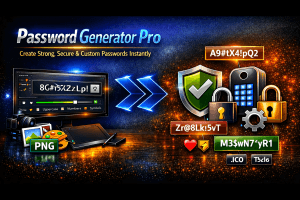
Generate strong, cryptographic passwords and passphrases instantly in your browser. No uploads, 100% private, browser-based. Free — no account required.
Price Currency: USD
Operating System: Web Browser
Application Category: Utility