
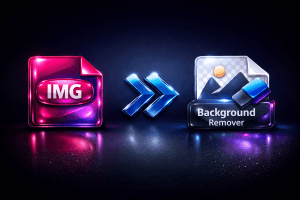
Free AI background remover in your browser: no upload, no signup, no watermark. Fix edges with a brush and save a full-size PNG.
Price Currency: USD
Operating System: Web Browser
Application Category: MultimediaApplication
Free AI Background Remover
This free AI background remover cuts the subject out of a picture in your browser: no upload, no signup, no watermark. The AI model runs on your own device, so your pictures never leave it. You can fix the edges by hand and save a full-size PNG, up to 20 pictures at a time on a computer.
- FreeNo watermark, no signup
- PrivateYour pictures stay on your device
- PreciseAn AI model made for fine edges
- EditableBrush, softness, backgrounds
Use your result next
This tool saves a full-size PNG. These free tools of ours take it from here, each in a new tab, so your pictures here stay.
Cut the subject out. Keep the picture on your device.
This tool removes the background from a picture with a neural network that runs inside your browser. The first picture downloads the engine once (about 94 MB) and your browser keeps it; from then on every picture is cut out on your own computer or phone. Nothing is uploaded, no account is needed, and the result has no watermark. You can fix the edges with a brush, soften them, put a colour or a blurred copy of your picture behind the subject, and save the result as a full-size PNG.
How this AI background remover works
The tool runs an AI model inside your browser, on your own processor. It looks at the whole picture, decides for every pixel how much of it belongs to the subject, and uses that to make the background transparent. The model is released under the MIT licence.
- Your picture is not uploaded. The cut-out is made on your device.
- The engine is downloaded once. It is about 94 MB and your browser keeps it for next time.
- Pictures are processed one at a time. Add up to 20 on a computer and leave the page open.
How to remove a background, step by step
The whole process takes four steps and no account.
- Add your pictures. Drag them onto the drop area, click Choose pictures or Add, or paste a picture with Ctrl+V or the Paste button.
- Click Remove Background. The first picture also loads the engine, which takes a little longer once.
- Check and fix. Drag the slider to compare. Choose Keep or Erase and paint over any spot the engine got wrong, use Undo to take a stroke back, set the edge softness, and pick Transparent, White, Black, a colour or a Blurred copy of your picture as the background.
- Download. Click Download PNG for the picture on the stage, or ZIP for all finished pictures. Need JPG, WebP or an icon instead? Use ConvertMaster or Icon Maker.
Need JPG, WebP or an icon? Use our other free tools
This tool saves one file type: a full-size PNG, because a PNG is the one common format that keeps a transparent background. If you need the picture in another form, our own tools do it in your browser too, with nothing uploaded:
- ConvertMaster converts your PNG to JPG, WebP, AVIF and more than 30 other image formats, and crops and resizes it.
- Icon Maker (PNG to ICO) turns your PNG into a multi-size ICO icon or a favicon.
Both tools open from the panel under the Download button, in a new tab, so the pictures you are working on here stay where they are.
Fix the edges, soften them and choose a background
A cut-out is rarely perfect on the first try, so every finished picture opens in an editor under the picture.
- Compare shows your original on the left and the result on the right; drag the line or use the arrow keys.
- Keep and Erase are two brushes. Paint over a spot the engine removed by mistake with Keep, or over a spot it left in with Erase. Undo, Redo and Reset take strokes back, and Ctrl+Z works too.
- Edge softness blurs the edge of the cut-out a little, from 0 (as the engine made it) to 10.
- Background lets you put a transparent, white, black or coloured background behind the subject, or a blurred copy of your own picture.
- ZIP saves all finished pictures in one file with the same settings.
The preview and the file you download are made from the same strokes and settings, so what you see is what you get. The brush works with a mouse, a pen or a finger.
How fast is this AI background remover, and how big a picture can it take?
The AI model always works at one fixed working size, so the cut-out itself takes about the same time for a small picture and for a huge one. A bigger picture only costs more time to read and to save, and more memory.
| Picture | The cut-out | Saving the PNG | PNG file | Browser memory, peak |
|---|---|---|---|---|
| The page aloneno picture, engine not loaded | Not applicable | Not applicable | Not applicable | 1.0 GB |
| Engine loadedno picture being cut out | Not applicable | Not applicable | Not applicable | 1.4 GB |
| About 3 MP1400 x 2100 px | 22.8 s | 2.0 s | 3.1 MB | 3.1 GB |
| About 12 MP2800 x 4200 px | 23.1 s | 2.5 s | 11.6 MB | 3.2 GB |
| About 40 MP5160 x 7740 px, enlarged from an 18.6 MP photo | 21.9 s | 3.6 s | 34.4 MB | 3.5 GB |
These numbers were measured in a real browser on one fast desktop PC (a Ryzen 7 5700X with 32 GB of memory, Microsoft Edge, one thread) with a CC0 photo of a horse. The 3 MP and 12 MP pictures are reduced copies of the photo; the 40 MP picture is that photo enlarged, so it tests size, not detail. Browser memory is the total of every process of the browser, the page itself included (see the first two rows). A slower or older PC takes longer; a phone takes longer still.
The limits, stated plainly
- The engine needs about 2 GB of free memory while it works: the table shows the browser’s memory with the page alone and with a picture being cut out.
- A computer takes pictures up to 64 megapixels and a phone up to 24 megapixels; a larger picture is refused with a message.
- A device that reports less than 4 GB of memory is told that the engine would likely fail there.
Privacy: where your pictures go
Nowhere. The pictures you add are read by your browser and processed by the engine on your device; they are not sent to AIToolboxBD or to anyone else. Only the engine file itself is downloaded, once, and it contains no picture of yours.
Like every page of this site, the page counts visits with Google Analytics after you accept; it never receives a picture or a file name. The details are in the Privacy Policy.
Which browsers and devices work
You need a current browser with WebAssembly, which every up-to-date version of Chrome, Edge, Firefox and Safari has; we test mostly in desktop Chrome and Edge. The engine needs about 2 GB of free memory, so a computer with 8 GB or more is comfortable and a phone with less memory may close the tab. A computer is faster than a phone; on a phone the queue is shorter and very large pictures are refused with a clear message.
How this AI background remover compares, with dates and sources
This AI background remover is not better at everything: the services below answer in seconds because they run on their own servers, and some offer more editing. The table uses only what each provider states on its own pages, checked on the date shown. Where a page does not state a figure, the cell says so. In the table, red marks a limit or a cost for you, amber marks a figure the page does not state, and the colours orange and green are used for this tool only.
| Tool | Free use, as its page states it | Account | Picture size the page states | Where your picture is processed | Source |
|---|---|---|---|---|---|
| AI Background Remover | Free, no watermarkNo daily limit | No account needed | Up to 64 MP24 MP on a phone | In your browserNothing is uploaded | |
| remove.bg | Up to 0.25 MP“100% free for low-resolution images (up to 0.25 megapixels)”, for personal use | Not stated | 50 MP, paidHigher resolution is in paid plans | Not stated“processed on the website” | |
| Canva | A limited number“a limited number of free high-resolution downloads” | If promptedLog in or sign up “if prompted” | Not stated | Not statedThe page says “Drop files to upload” | |
| Photoroom | Free to startPaid: “high-resolution exports” | Not statedSaving to an account is offered | Not stated | Not stated | |
| Clipdrop | 20 a dayThe free plan lists Background Removal as 20/24h | Not stated | Not stated | Not stated | |
| Pixelcut | Free, no watermark“Free, no sign-up” | No sign-up | 50 MB, 6000 x 6000 px“Up to 50MB and 6000 × 6000px” | Not statedThe page says “Upload image” | |
| Fotor | Free“free to use with no sign up needed”; up to 50 images at once | No sign-up | 60 MB, 8192 x 8192 px“Upload files up to 60 MB and 8192 × 8192 px” | Not stated“from upload to download” |
Compared data based on
What the table shows
- Free use on those pages is limited by picture quality (remove.bg: up to 0.25 megapixels), by a daily count (Clipdrop: 20 a day) or by a number of free downloads (Canva).
- Their pages state picture sizes of 50 MB (Pixelcut) and 60 MB (Fotor) and, in pixels, 6000 and 8192 on the long side; none of them states where the picture is processed.
- This tool processes the picture in your browser, has no daily limit and no account, and takes longer per picture because your device does the work.
Questions and answers
Is this AI background remover really free?
Yes. It is free, there is no signup, no daily limit and the result has no watermark.
Does the AI background remover upload my pictures?
No. The cut-out is made inside your browser on your own device, so your pictures never leave it.
Why does the first picture take longer?
The first picture also downloads the engine, about 94 MB, once. Your browser keeps it, so the next pictures start straight away.
How long does one picture take?
The AI background remover took about 22 to 23 seconds per picture in our test on a fast desktop PC with one thread, the same for a 3, a 12 and a 40 megapixel picture, because the model always works at one fixed working size. A slower PC or a phone takes longer. Online services are faster because they use their own graphics cards.
How much memory does the AI background remover need?
The AI background remover needs about 2 GB of free memory while it works: in our test the browser used about 1 GB with the page open and about 3 GB with a picture being cut out. A device that reports less than 4 GB of memory is told that the engine would likely fail there.
What picture formats can I add, and what do I get?
You can add JPG, PNG and WebP pictures everywhere, and GIF, BMP and AVIF where your browser can open them. You always get a PNG, because a PNG keeps the transparent background.
Can I save the result as JPG or WebP?
This tool saves PNG only. To get JPG, WebP or another format, open the PNG in ConvertMaster, our free image converter, which runs in your browser as well.
Can I make an icon or a favicon from the result?
Yes. Save the PNG here, then open it in Icon Maker to make a multi-size ICO file or a favicon.
Is there a limit on the size of a picture?
The limit is your device’s memory. The app tells you when a picture is too big for the device: above 64 megapixels on a computer and above 24 megapixels on a phone. We tested pictures of about 3, 12 and 40 megapixels.
Can I fix a spot the AI got wrong?
Yes. Choose Keep or Erase under the picture and paint over the spot; Undo, Redo and Reset take strokes back. You can also soften the edge and pick a background.
Which browsers and devices work?
A current Chrome, Edge, Firefox or Safari with WebAssembly. We test mostly in desktop Chrome and Edge. A phone works with a shorter queue and smaller pictures, and needs enough free memory for the engine.
Can I use the results commercially?
Your pictures stay yours, and the tool adds no watermark or claim of its own to the result. The AI model is released under the MIT licence.
More free tools and pages
These tools and pages of AIToolboxBD work in your browser too.