


Your Passwords Live On Your Device.
Not On Someone Else's Server.
Omega Password Master is the free portable password manager for Windows that stores your vault encrypted on your device — never on a server, never in the cloud. Every cloud password manager is a single breach away from exposing your entire digital life. This free portable password manager uses AES-256-GCM encryption and runs from any folder or USB drive with zero installation and zero subscription. Your vault travels with you and opens only with your master password.
⭳ Free Download — v1.0.1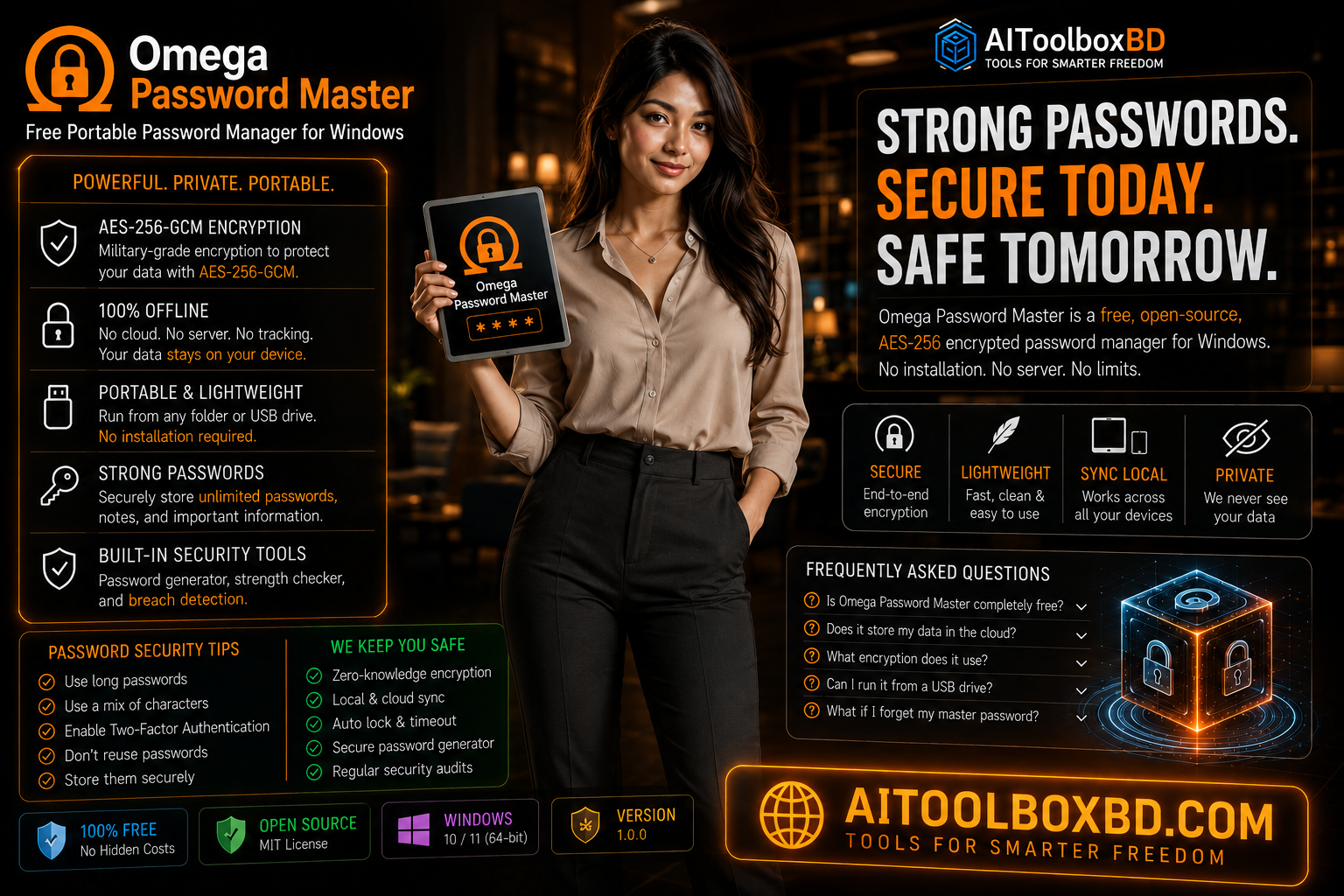
Every Cloud Vault Is a Single Breach Away From Exposure
Cloud password managers promise convenience — access your passwords from any device, anywhere, anytime. It is a compelling offer. But it comes with a structural vulnerability that no amount of marketing can fully obscure: your entire digital identity lives on a server you do not control, operated by a company you cannot audit, targeted by attackers who know exactly what is inside.
In 2022, LastPass suffered a breach that exposed encrypted customer vaults. The company's own security architecture — the same architecture they spent years telling users was safe — had been exfiltrated. Customers who had chosen LastPass specifically because of its security reputation found themselves being told to rotate every password they owned. Not some passwords. Every password.
This is not a LastPass problem. It is a cloud problem. Any system where your encrypted vault is stored on an external server is a system where a successful attack on that server can exfiltrate your vault. The encryption may be strong. But the vault is in someone else's building, on someone else's hardware, under someone else's security team. A free portable password manager like Omega Password Master eliminates this entire attack surface by design — you have no visibility and no control over a cloud server, but you have complete control over your own device.
A free portable password manager that never leaves your device cannot be exfiltrated by a server breach — because there is no server to breach. The attack surface that exposed millions of cloud password manager users simply does not exist in an offline-first architecture.
The Subscription Trap
Beyond the security argument, cloud password managers have a second structural problem: they are businesses that need recurring revenue. Free tiers get restricted. Features disappear behind paywalls. Prices increase at renewal. Your access to your own passwords becomes contingent on continuing to pay a third party every month.
Omega Password Master costs nothing. It will always cost nothing. It is a free portable password manager released under the MIT open source license, which means you can read the code, modify it, and redistribute it. The business model is not "free until we need revenue" — it has no business model at all. It is a tool, not a service. As a free portable password manager, it belongs to you — not to a company with a paywall roadmap.
A Free Portable Password Manager Built on Military-Grade Encryption
Omega Password Master is a free portable password manager for Windows that stores your passwords, secure notes, and TOTP codes in an AES-256-GCM encrypted vault on your local device. There is no cloud component, no account registration, no internet connection required. As a free portable password manager, it is designed around one principle: your data lives on your machine and nowhere else.
The entire application ships as a folder you extract from a ZIP file. Run the executable — no installer, no administrator rights, no system modifications. The encrypted vault is created inside a hidden .omegadata folder next to the application. Move the folder to a USB drive, to a different PC, or to an encrypted external drive — your vault goes with it.
- Vault stored on company servers
- Server breach exposes all customer vaults
- Monthly or annual subscription required
- Account registration mandatory
- Dependent on company staying solvent
- Free tier restrictions grow over time
- Internet connection required to use
- Third-party audits you cannot verify yourself
- Vault stored only on your device
- No server — server breach is architecturally impossible
- Free forever under MIT license
- No account, no email, no registration
- Open source — works indefinitely
- All features always free, no paywalls
- Fully offline operation after download
- Open source code you can read and audit
9 Features of This Free Portable Password Manager You Actually Need
Omega Password Master covers the full lifecycle of personal password management — secure generation, organized storage, safe retrieval, and encrypted backup — without requiring an internet connection for any of it.
No Installer. No Admin Rights. Three Steps.
Omega Password Master requires no installation, no administrator privileges, and makes no changes to your Windows system registry or system folders. It runs entirely from its own folder.
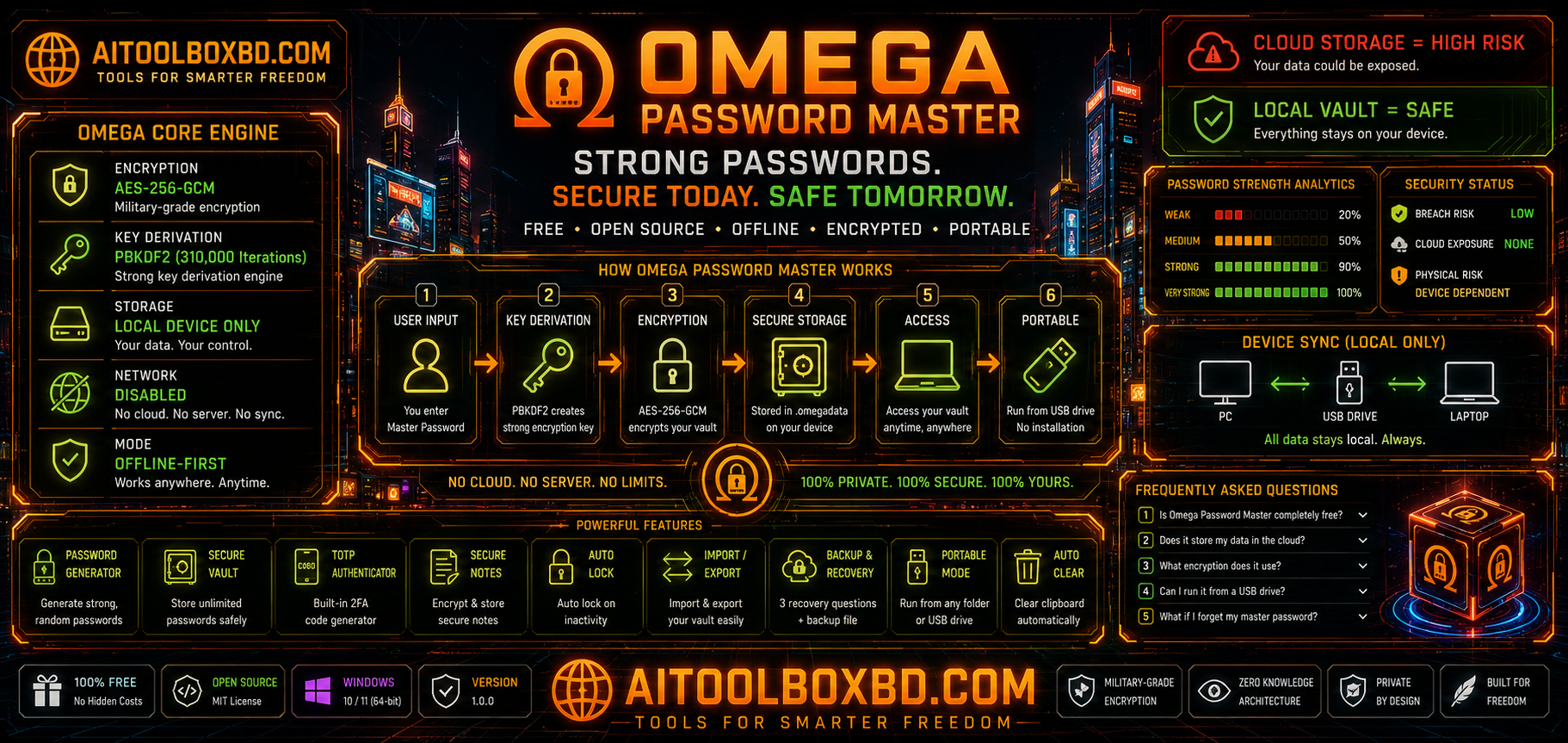
Omega Password Master.exe to launch the application. On first run, create your master password and set 3 recovery questions. Store your recovery answers somewhere safe — they are the only way to recover a forgotten master password.The Encryption Stack Behind This Free Portable Password Manager
The security architecture of this free portable password manager is designed around one principle: if an attacker obtains the encrypted vault file, the master password is the only thing that matters. The key derivation and encryption are designed to make brute-force attacks computationally infeasible with any realistic hardware.
| Attack Vector | Cloud Password Manager | Omega Password Master |
|---|---|---|
| Server breach | Vault exfiltrated | No server — not possible |
| Company insider attack | Insider access risk | No company holds your data |
| Account phishing / takeover | Cloud account compromised | No cloud account exists |
| Weak master password | High risk | High risk — use a strong password |
| Physical device access | Mitigated by cloud architecture | Risk if device is unlocked |
| Service discontinuation | Vault access may be lost | Open source — runs forever |
What’s New in v1.0.1
Released June 3, 2026. This update brings two new features, two bug fixes, and two enhancements to the free portable password manager.
guide.html is now included with the application, along with a glowing User Guide button in the sidebar for instant access to usage instructions.url|username|email for more accurate duplicate detection.min-height: 0). Panels no longer overflow unexpectedly on smaller windows.Frequently Asked Questions About Omega Password Master
Free portable password manager for Windows — AES-256-GCM encrypted vault. No cloud, no subscription, no installation. Runs from USB.
Price Currency: USD
Operating System: Windows PC
Application Category: PC Software