

VidCon — Free Video Converter Online, No Upload Required
Table of Contents
Welcome to VidCon, the ultimate free video converter built for fully local, high-capacity work. Drop 10 videos at once, pick your output format, and convert them all — MP4, MKV, WEBM, MOV, TS, AVI, FLV, and more. No account. No upload. No watermark. Your files never leave your device — not even one byte.
Most free video converter tools online cap users at 100 MB to 1 GB and process files on their own servers, meaning your private recordings travel to a data centre you don’t control. VidCon is architecturally different: all demuxing, stream copying, and encoding happen locally using a WebAssembly port of the industry-standard FFmpeg engine inside your browser tab. There is no server to send your files to because there is no server involved at all.
VidCon handles MP4, MKV, MOV, AVI, WEBM, FLV, WMV, TS, M4V, 3GP, and more with equal confidence — any source codec, any file size. Drop your files, minimize the tab, and come back to all of them converted. A workflow no other free video converter can match.
No File Size Limit: How the Multi-Pass Engine Works
VidCon’s adaptive multi-pass engine is what makes giant files possible in a browser. Instead of loading an entire 20 GB file into memory at once — a task that would instantly crash any browser tab — our free video converter divides the file into sequential passes, each sized to fit comfortably within available device RAM.
VidCon v33 introduces an Adaptive Dispatcher that detects your hardware tier and picks the right chunk size automatically. It uses TURBO (1 GB chunks + Web Worker isolation) for gaming PCs with 16 GB+ RAM, NORMAL (512 MB chunks) for typical 8 GB laptops, and SAFE (256 MB chunks) for 4 GB devices.
The Fast Path (introduced in v32) mirrors the v5 seamless experience for MKV/WEBM/TS outputs — no permission dialogs, OPFS-staged streaming, and a single download at the end. For MP4, MOV, and M4V outputs, Power Mode writes fragmented MP4 (fMP4) segments that byte-concatenate into one real .mp4 file of any size.
Each pass runs in its own Web Worker on TURBO and Power tiers, terminated afterward to fully reclaim WASM heap memory — so even a 23 GB conversion never accumulates memory. If the chosen strategy fails, this robust free video converter cascades down through safer tiers automatically (TURBO → NORMAL → SAFE → Smart Path → TS Rescue), making complete failure practically impossible.
A 22.3 GB MKV file runs in 45 passes. A 2.4 GB HEVC film runs in 5 passes. A 500 MB clip runs in a single pass. The user experience is identical for all three: click Convert All, watch the progress, download the result. No upload. No waiting for a server queue. No file size error.
VidCon also handles non-fast-start MP4 files — files where the movie index (moov atom) sits at the end rather than the beginning. A dedicated MP4 atom parser reads the index from the last 80 MB of the file, rebuilds it with corrected byte offsets per pass, and feeds each synthetic partial file to FFmpeg. This is the same technical challenge that causes most desktop converters to fail on raw camera recordings and unprocessed video exports.
Supported Video Input Formats
- MP4 / M4V — Universal container. H.264, H.265 (HEVC), AV1, and AAC audio all decoded correctly. Fast-start and non-fast-start variants both handled.
- MKV — Matroska container. Supports virtually any codec combination including multi-track audio, subtitles, and HDR metadata.
- MOV — Apple QuickTime. Standard export from iPhone, DSLR cameras, DaVinci Resolve, and Final Cut Pro.
- AVI — Legacy Windows container with format-aware header detection for reliable multi-pass conversion.
- WEBM — Web-native VP8/VP9/AV1 container with Vorbis or Opus audio tracks.
- WMV / ASF — Windows Media. ASF header object parsed precisely for lossless multi-pass splitting.
- FLV — Flash Video. Metadata script tag detected within first 256 KB for reliable large-file conversion.
- TS — MPEG Transport Stream. Broadcast recordings, DVR captures, and IPTV recordings.
- MPG / MPEG / 3GP / OGV — Older formats fully supported via the FFmpeg decoder.
Supported Video Output Formats
- MP4 — Universal standard. Works everywhere — phones, browsers, social media, and every media player.
- MKV — Best universal remux target when the source has HEVC, AV1, multiple audio tracks, subtitles, or HDR metadata.
- WEBM — Web-native open container. Fast remux for VP8, VP9, AV1, Opus, and Vorbis streams.
- MOV — Apple QuickTime container. Native format for Final Cut Pro, DaVinci Resolve, iPhone, and macOS.
- M4V — iTunes-compatible video container.
- TS — MPEG Transport Stream. Best for broadcast pipelines and final emergency rescue when the requested container cannot be made safely.
- FLV, AVI, WMV, 3GP, MPG, VOB, OGV — Extended and legacy format support via format-specific encode fallbacks.

VidCon — No Upload. No File Size Limit. 100% Browser-Based. 100% Free.
Every Video Conversion Route — All Formats, All Sizes
VidCon remuxes any supported input container to any supported output container. Every route below has been tested including on multi-gigabyte source files.
How to Batch Convert Videos with our Free Video Converter
- Drop your videos: Drag and drop one or more video files onto the drop zone, or click Choose Files. Any size. Any format. All files are added to the queue instantly — they never leave your device.
- Pick your output format: Choose a target container from the Convert to picker — MP4, MKV, MOV, WEBM, TS, M4V, FLV, AVI, 3GP, MPG, VOB, or WMV. For MP4/MOV/M4V, Power Mode delivers one real file of any size. Other large formats are delivered as optimized same-format parts.
- Convert and download: Click Convert All. VidCon processes every file in your browser using the adaptive multi-pass FFmpeg engine. Minimize the tab — conversion continues in the background. Download each file individually, or click Download All when the batch is complete.
Technical Architecture of our Free Video Converter
- FFmpeg WebAssembly (v0.11.6) — The FFmpeg multimedia framework compiled to WebAssembly. Handles every demux, stream copy, and re-encode operation entirely in your browser tab.
- Adaptive Multi-Pass Engine with Power Mode — Automatically scales pass size (128 MB–1.1 GB) to your device RAM tier. For MP4/MOV/M4V, Power Mode writes fragmented MP4 segments via Worker-per-pass isolation, delivering one real output file of unlimited size with zero WASM heap accumulation.
- Codec Probe Before Routing — Each file is probed with the first 10 MB before conversion begins. The engine automatically picks stream copy (fastest, lossless) or H.264/VP9 encode based on actual codec compatibility.
- Silent Error Recovery Chain — If stream copy fails, the engine silently retries with H.264 encode, then lower quality, then TS container. You never see a raw FFmpeg error.
- MP4 Atom Parser — Custom moov atom reader handles non-fast-start MP4 files by rebuilding per-pass byte offset tables from the file index.
- Wake Lock API — Screen and tab stay active during multi-pass conversions, preventing OS sleep from interrupting a long job. Re-acquired automatically on tab focus.
- Background Processing — MessageChannel-based yield loop (immune to browser background throttling). Minimize the tab — conversion continues at full speed.
- Browser Notifications — Permission requested on first Convert. Notification fires when the full batch is complete.
VidCon Free Video Converter vs. Every Alternative
No other free video converter online combines zero upload, zero file size limit, fragmented MP4 delivery for unlimited-size output, multi-file batch conversion, and private local processing in a browser.
| Feature | VidCon Free Video Converter | CloudConvert | HandBrake | VLC Player | FFmpeg CLI |
|---|---|---|---|---|---|
| Max File Size (Free) | Unlimited — tested 22+ GB | 1 GB cap | Unlimited | Unlimited | Unlimited |
| Upload Required | Never — 100% local | Always | No | No | No |
| Installation Required | None — any browser | None | Download required | Download required | CLI + PATH setup |
| Fast Remux (No Re-encode) | Yes — lossless stream copy | Sometimes | No — always re-encodes | Limited | Yes |
| Batch Multi-File | Yes — unlimited files | No (1-to-1 only) | No | No | Manual scripting |
| Non-Fast-Start MP4 | Yes — atom parser | Sometimes | Yes | Yes | Yes |
| Data Privacy | 100% — zero transmission | Server holds 24h | 100% local | 100% local | 100% local |
| Works on Chromebook | Yes | Yes | No | No | No |
| Cost | 100% Free — always | Freemium ($$) | Free | Free | Free |
Device Capability Guide for our Free Video Converter
| Device | RAM | Engine Mode | Per-Pass Chunk | Max File (direct) |
|---|---|---|---|---|
| Budget Laptop / Chromebook | 4 GB | Light Mode (ST) | ~128 MB | Split parts for huge files |
| Standard Laptop | 8 GB | Light Mode (ST) | ~256–400 MB | Split parts for huge files |
| Standard Desktop (Chrome+COOP) | 8 GB | Multi-Core (MT) | ~400–768 MB | Unlimited (same-format parts when needed) |
| Gaming PC / Creator (Chrome+COOP) | 16 GB | Multi-Core (MT) | ~768 MB | Unlimited |
| High-End Workstation (Chrome+COOP) | 32 GB+ | Multi-Core (MT) | ~1.1 GB | Unlimited (50 GB+ tested) |
| Android / iPhone | 4–8 GB | Light Mode (ST) | ~128–256 MB | Best under 2 GB |
Frequently Asked Questions about this Free Video Converter
Is this free video converter completely free?
Yes. This free video converter requires no subscription, no account, no watermark, no file size limit, and no daily cap. It is permanently free.
Does my video file get uploaded anywhere by this free video converter?
Never. Not even the first byte. Open your browser’s Network tab in DevTools during a conversion — you will see zero outbound requests carrying video data from this free video converter.
Can this free video converter handle files larger than my available RAM?
Yes. As a truly advanced free video converter, the adaptive multi-pass engine divides the file into slices sized to fit within available memory. Peak memory usage during a 22 GB conversion is approximately 1.1 GB of browser RAM, not 22 GB. For MP4, MOV, and M4V output, Power Mode produces one real fragmented MP4 file of any size — each pass runs in an isolated Web Worker that is terminated afterward to fully reclaim memory. Other large-format outputs are delivered as optimized same-format parts.
Why does MKV / WEBM conversion feel instant in v33 of this free video converter?
v33’s Adaptive Fast Path for MKV, WEBM, and TS outputs mirrors the v5 seamless experience, making it the fastest free video converter. It skips the elaborate preflight machinery (codec probe, moov scan, trial pass) and writes directly to the browser’s OPFS private storage in chunked passes, then concatenates into one output file. No permission dialogs, no save picker — just drop, convert, download. The chunk size adapts to your hardware: 1 GB per pass on a gaming PC, 256 MB on a basic laptop. If the fast path detects an incompatible codec, hits memory pressure, or fails on the first pass, it cascades down to safer tiers and finally to the smart path with full preflight and parts mode — so a conversion almost never fails outright.
How does v33 pick the best strategy for my hardware?
v33 ships an Adaptive Dispatcher that reads your browser’s reported RAM, CPU core count, and WebAssembly threading capability, then classifies your device as LOW, MID, or HIGH tier. On a HIGH-tier gaming PC (16+ GB, 8+ cores, multi-threaded WASM) it runs TURBO with 1 GB chunks and Worker isolation — a 23 GB MP4-to-MKV conversion finishes in roughly 10-15 minutes. On a MID-tier laptop (8 GB) it runs NORMAL with 512 MB chunks (20-25 minutes). On LOW-tier or 4 GB devices it runs SAFE with 256 MB chunks. The chosen strategy is visible in the status bar so you know exactly what’s running, and the throughput is reported in real-time MB/s.
How does VidCon decide whether to remux or re-encode?
Automatically. VidCon probes each file’s codec before conversion, then checks whether the source video codec is compatible with the target container. If compatible, it uses stream copy — no re-encoding, no quality loss, completes in seconds. If incompatible, it switches to H.264 encode automatically. You never need to choose.
Which browsers give the best performance?
Chrome 110+ and Edge 110+ with Cross-Origin Isolation headers deliver the highest performance (multicore WASM). Firefox and Safari use single-thread mode and are best for smaller files. For very large files, Chrome or Edge on a desktop gives the most reliable storage and memory behavior.
VidCon is part of the free tool suite at AIToolboxBD. Explore the Video Tools collection and the Audio Tools collection.
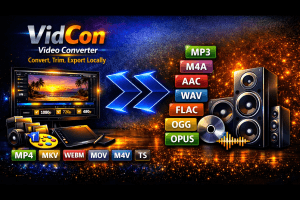
Free video converter online — no upload, no file size limit. Remux MP4, MKV, MOV, AVI to any format. Extract audio to MP3, WAV, FLAC. 100% browser-based.
Price Currency: USD
Operating System: Web Browser
Application Category: Web Application